
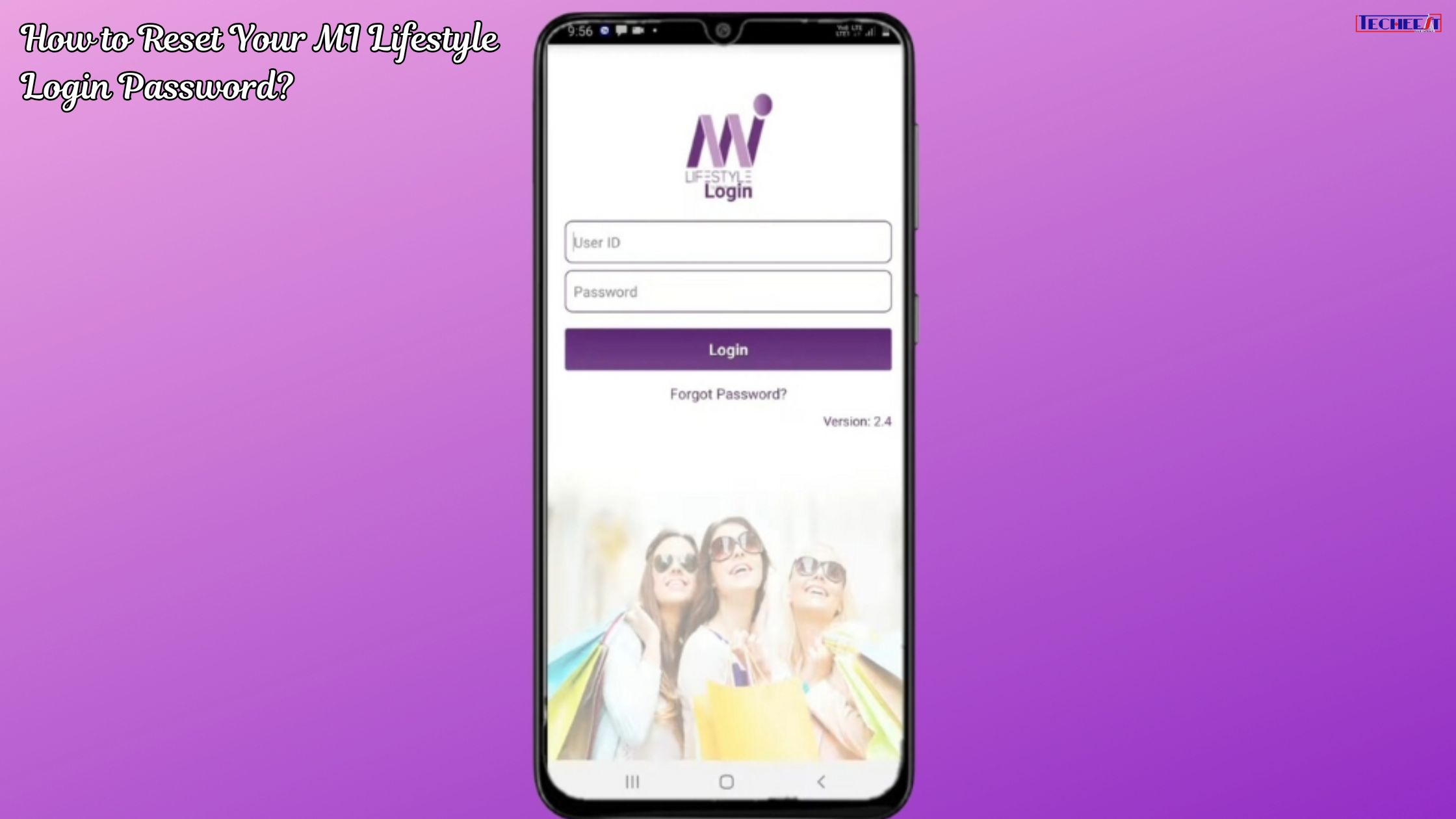
For every Independent Distributor (ID) within the Mi Lifestyle marketing ecosystem, the Distributor Portal is the heartbeat of their business. This is where you track sales, manage your downlines, check out promotions, and access important resources. However, it is all too common that you forget your password, or simply need to update your password.
Losing access to your portal can be stressful, but the process to recover or reset your Mi Lifestyle password is straightforward and designed to be secure. This comprehensive guide will walk you through the steps you need to take, safety precautions, and general troubleshooting tips to manage your business faster.
🔒 Why Password Security Matters in Direct Selling
Before diving into the steps, it is important to understand the criticality of your portal access. Your Mi Lifestyle account is more than just a login; This includes sensitive data, including:
- Financial records: Your commission details, bonus earnings and payment history.
- Downline data: Your team’s personal and professional performance details.
- Personal KYC information: Documents and banking details presented for payment.
Therefore, the password reset process must be robust, and maintaining a strong, unique password is the first line of defense for your entire business.
🚀 The Step-by-Step Guide: Resetting Your MI Lifestyle Password
The password recovery process is generally initiated from the main login page of the official Mi Lifestyle website or through the official distributor mobile application. The main mechanism relies on verifying your identity using the details associated with your account – usually your unique Distributor ID and registered email address.
Phase 1: Initiating the Reset Request
- Visit the official portal: Open your web browser or the official Mi Lifestyle Distributor app.
- Important tip: Always double-check the URL to make sure you are on a legitimate domain (for example, milifestylemarketing.com or the official app). Scammers often create phishing sites.
- Locate the login area: Look for the main login button or section.
- Click ‘Forgot Password’: Below the fields for your Unique ID and password, you’ll clearly see a prompt saying “Forgot Password?” You will get a link labeled. or “Forgot your password?” (In Hindi, if using Hindi interface). Click this link to start the recovery process.
- Enter the required credentials: The system will prompt you to enter one or more of the following identifiers:
- Your Unique Distributor ID (or Track ID): This is the mandatory identification number that was provided to you while registering.
- Your registered email address: The email associated with your account, which will be used to send the reset link.
- A captcha or security code: To verify that you are a human and not a bot attempting unauthorized access.
- Submit the request: Click the “Submit” or “Email Password Reset Link” button.
Phase 2: Verifying Identity via Email
- Check your registered email inbox: Quickly check the inbox of the email address you provided in the previous step.
- Check Spam/Junk: If you don’t see the email within a minute or two, check your Spam, Junk or Promotions folders, as automated emails sometimes end up there.
- From: The email will be sent from an official MI Lifestyle address (for example, [email protected]).
- Open the reset email: The email will contain a time-sensitive link or a unique verification code.
- Click on Reset Link: Click on the given password reset link. This link is important because it confirms that the person requesting the reset has access to the registered email account.
Phase 3: Setting the New Password
- Access the reset page: Clicking the link will redirect you to a secure page on the Mi Lifestyle website.
- Enter and confirm the new password: You will be asked to enter the new password twice:
- New Password: Create a strong, unique password.
- Confirm the new password: Retype the new password exactly as entered above.
- Password Strength Requirements: Make sure your new password meets the company’s security criteria, which typically include:
- Minimum length (e.g., 8 characters)
- Mixture of capital letters (A, B, C…)
- Small letters (a, b, c…)
- Numbers (1, 2, 3…)
- Special characters (!, @, #, $…)
- Final Submission: Click on “Reset Password” or “Change Password” button.
You should now receive a success notification on the screen, and possibly a confirmation email, indicating that your password has been successfully updated. You can now use your unique Distributor ID and your new password to log in.
💡 Troubleshooting Common Reset Issues
Although the process is designed to be smooth, problems can still arise. Here are solutions to the most common password reset problems:
| Problem | Cause | Solution |
| Reset Link is Expired | Security links are time-sensitive (usually valid for 15-30 minutes) to prevent unauthorized use. | Initiate the reset process again from the official portal. Make sure you use the newest email link immediately. |
| Didn’t Receive Email | The email address may be wrong, the email is in spam, or the mailbox is full. | Check Spam/Junk folder first. If still missing, check your Distributor Profile (if possible) or contact Support to confirm the registered email address is correct. |
| Error: Invalid ID | You are entering an incorrect Unique ID or Track ID. | Double-check your initial registration documentation or welcome letter for the exact Distributor ID. It must be quoted in all transactions. |
| Link is Not Opening | Browser settings, firewalls, or security software are blocking the link. | Copy the link address from the email and paste it directly into a fresh browser window (preferably in Incognito/Private mode). |
| New Password Not Accepted | The new password does not meet the minimum security requirements (length, mix of characters). | Review the password criteria on the screen and ensure your new password includes all required character types. |
📞 When to Contact MI Lifestyle Customer Support
If you have tried all the above steps and are still unable to reset your password, it’s time to reach out to the official Mi Lifestyle customer care or complaint cell. You may need help if:
- You have forgotten your Distributor ID: Only the company can safely retrieve it for you after verification.
- Your registered email/mobile number has changed: You will need help updating these important details before the password reset will work.
- You suspect unauthorized access: Report it immediately to secure your account.
What to provide to help:
When contacting support, be prepared to provide verification details to prove your identity, such as:
- your full name
- your date of birth
- Your registered mobile number
- Your PAN card number (or other KYC details)
✅ Best Practices: Securing Your Future Access
Once you’ve successfully logged back into your Mi Lifestyle portal, take a few minutes to protect your business from future access issues.
- Enable Two-Factor Authentication (2FA): If the Mi Lifestyle Portal offers this feature (which is highly recommended for any business account), activate it immediately. It requires a code from your phone in addition to your password, making unauthorized access nearly impossible.
- Update contact information: In your profile settings, make sure your current mobile number and email address is accurate and accessible. These are lifelines to recovery.
- Use a strong, unique password: Never re-use a password from another site. Consider using a reputable password manager to store a complex password that you don’t need to remember.
- Log out when finished: Always log out of the portal manually, especially if using a shared or public computer.
By following these secure steps and maintaining diligence on your login credentials, you ensure that your focus remains where it belongs: on growing your Mi Lifestyle business.